








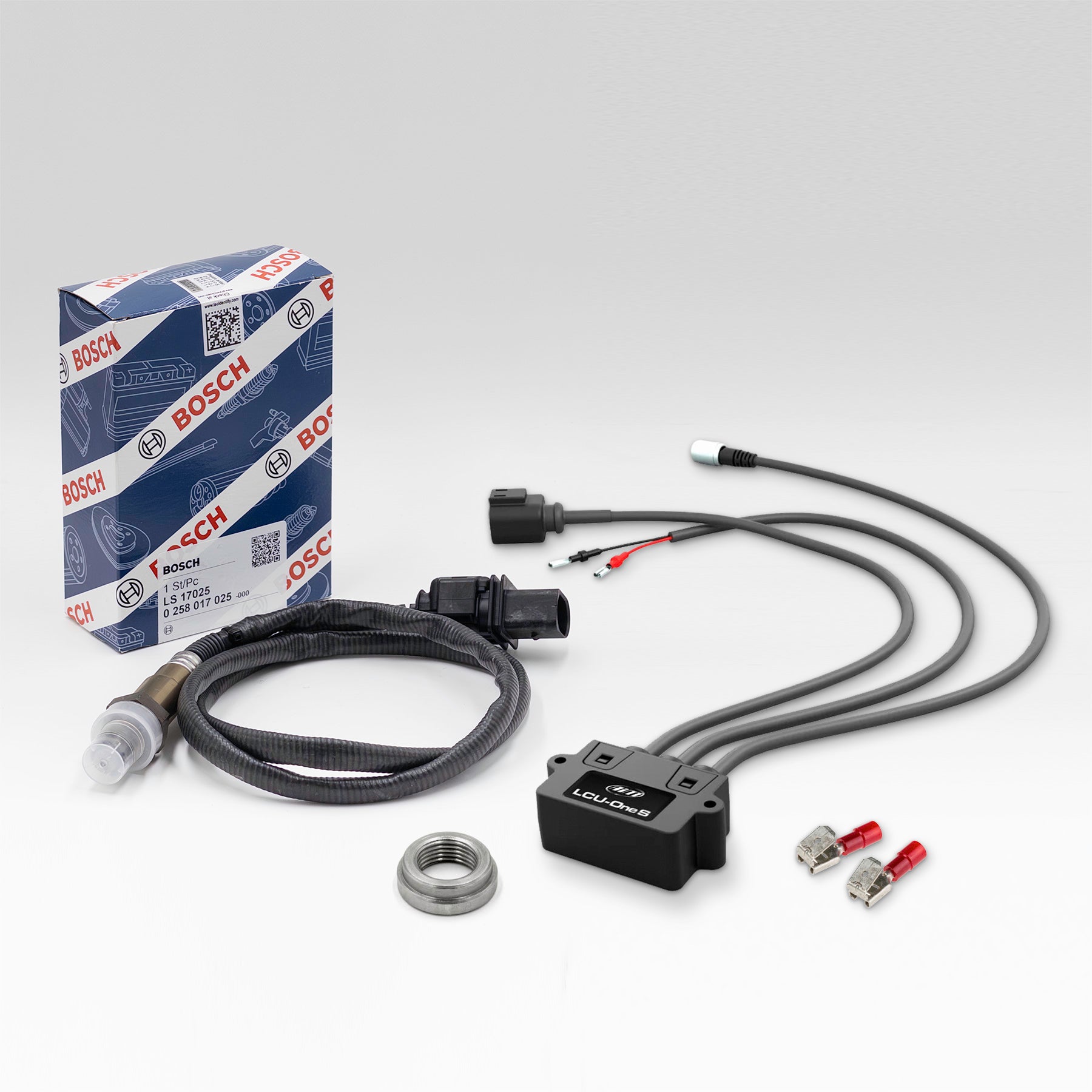

Description
Includes:
- LCU1S Module
- Bosch 4.9 wide band oxygen sensor
- Weld in lambda bung
- 2x Electrical terminals
LCU-One S controller allows to perfectly tune the carburetion of your engine to keeping it at its best and improve the engine's performance. It uses a wide band Bosch LSU 4.9 sensor, used for its capacity of saving the original calibration for the duration of the sensor's life. The Bosch LSU 4.9 probe has been designed to last for more than 100,000 km on a stock car.
Precision and reliability
LCU-One S can detect accurate Lambda value from 0.65 to 1.6, offering an extremely precise measurement, very useful for engine tuning. Through the analysis of the remaining oxygen, LCU-One S points out a possible oxygen excess/lack in the carburetion and provides essential information for 2-stroke and 4-stroke engines. The configuration of Stoichiometric ratio allows LCU-One S to be used on petrol, diesel and also alternative fuel powered engines.
Includes:
- 1 x LCU One S Controller
- 1 x Lambda Sensor
- 1 x MyChron Lambda Weld-In Fitting
- 2 x Electrical Terminals
NOTE: We have been made aware that there are non-genuine Lambda Sensors being sold into the karting market. These products do not function correctly or reliably with MyChron LCU One and LCU One S.
Click here now to read more...
NEW LCU 1 S
Instructions for the following installs
MyChron5 S V2 – Ensure latest version of Race Studio 3 is installed (Current version 3.70.30), update M5 S V2 to latest firmware in RACE Studio 3 (Minimum M5S V2 firmware version for install is 02.42.30)
MyChron5 S – Ensure latest version of Race Studio 3 is installed (Current version 3.70.30), update M5S to latest firmware in RACE Studio 3 (Minimum M5S firmware version for install is 02.42.07)
MyChron5 – Firmware is now available to enable the install of New LCU1 S to MyChron5. Race Studio 3 and M5 will need to be updated. The new M5 firmware version is ver.02.32.38
This can now be downloaded from www.aimsportsystems.com.au under SW/FW Download, then click on Download BETA Mychron5 Firmware LCU1S
Do not unzip the file, it is to be imported under Race Studio 3 firmware updates import, then connect via WIFI M5 to Race studio3 and update the M5 to this new firmware.